Choose the Right Smart Home Hub: A Comprehensive Guide
As the world of smart home technology continues to evolve, selecting the right hub is crucial for a seamless and secure experience. With numerous options available in the market, it can be overwhelming to choose the best one that fits your needs. In this article, we’ll take you through the key considerations and provide expert insights on how to choose the right smart home hub.
What You Need to Know
Smart home hubs act as a central command center for all your connected devices, allowing you to control and monitor them remotely. They enable communication between different devices from various manufacturers, creating a harmonious ecosystem within your home. With so many options available, it’s essential to understand the key features and technologies that matter.
In this guide, we’ll cover the critical aspects of selecting a smart home hub, including compatibility, connectivity protocols, user interface, and more. By the end of this article, you’ll be well-equipped to make an informed decision and find the perfect hub for your needs.
Step 1: Assess Your Smart Home Ecosystem
Before choosing a smart home hub, take stock of your current devices and their connectivity requirements. Consider the types of devices you have, such as lights, thermostats, security cameras, and door locks. Note the protocols used by each device, such as Zigbee, Z-Wave, or Bluetooth.
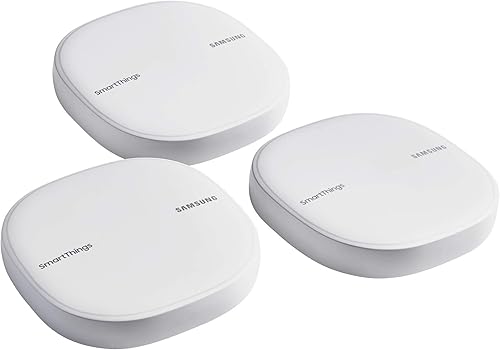
Next, research the compatibility of your devices with popular smart home platforms like Samsung SmartThings, Amazon Alexa, or Google Assistant. This will help you narrow down your options and identify hubs that support the majority of your devices.
Step 2: Evaluate Connectivity Protocols
Smart home hubs typically support multiple connectivity protocols, including Zigbee, Thread, Matter, and Wi-Fi. Each protocol has its strengths and limitations:
- Zigbee is a low-power, low-data-rate protocol suitable for battery-powered devices.
- Thread is designed for high-bandwidth applications and is often used in smart lighting systems.
- Matter is an open-source protocol that enables seamless interoperability between devices from different manufacturers.
Consider the types of devices you plan to connect and choose a hub that supports the protocols required by those devices. For example, if you have a lot of battery-powered sensors, Zigbee might be a better choice.
Step 3: Consider the User Interface
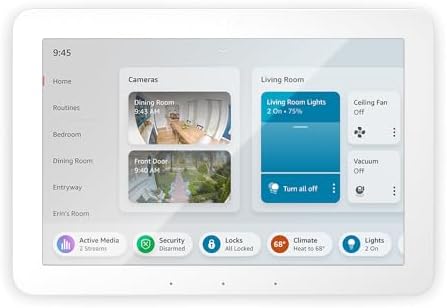
The user interface of your smart home hub plays a significant role in its overall usability. Some hubs feature touchscreen displays, while others rely on mobile apps or voice assistants.
When choosing a hub with a touchscreen display, look for one that offers intuitive navigation and customizable widgets for quick access to frequently used features. Consider the size and placement of the hub, ensuring it fits comfortably within your home’s decor.
Common Mistakes to Avoid
- Not researching compatibility: Failing to check device compatibility can lead to a fragmented smart home ecosystem with limited functionality.
- Overlooking protocol requirements: Ignoring the connectivity protocols used by your devices can result in reduced performance or even render some devices incompatible.
- Neglecting user interface considerations: Choosing a hub with an inadequate user interface can make it difficult to control and monitor your devices, leading to frustration.
Frequently Asked Questions
Q: What is Matter, and how does it differ from other protocols?
Matter is an open-source protocol that enables seamless interoperability between devices from different manufacturers. It supports multiple connectivity methods, including Wi-Fi, Zigbee, and Thread.
Q: Can I use a smart home hub with my existing security cameras and door locks?
It depends on the compatibility of your devices with the chosen hub’s protocols and platforms. Research the requirements for each device to ensure seamless integration.
Summary
Choosing the right smart home hub requires careful consideration of compatibility, connectivity protocols, user interface, and more. By following these steps and avoiding common mistakes, you’ll be well-equipped to select a hub that meets your needs and provides a secure, seamless experience. Remember to research devices’ requirements, evaluate protocol support, and consider user interface features when selecting the perfect smart home hub for your home. Ready to see our tested picks? Check out our best smart home hubs of 2026 roundup.